
Lost Your Pokémon Saves on Game Boy? Here's What Happened
Discover why your Pokémon saves on Game Boy disappeared and how to fix it easily. Discover why it matters and what happens next. I tuoi salvataggi Pokémon su Ga
- BackZee
- 5 min read
TL;DR 🚀
Make sure to check our deep dive on why this matters.
- Many players are facing issues with lost Pokémon saves on Game Boy.
- The problem often stems from battery failure in the cartridges.
- Fortunately, there are simple solutions to recover your game progress.
- Emulation and backup options can help preserve your gaming experience.
- Understanding the hardware can prevent future issues.
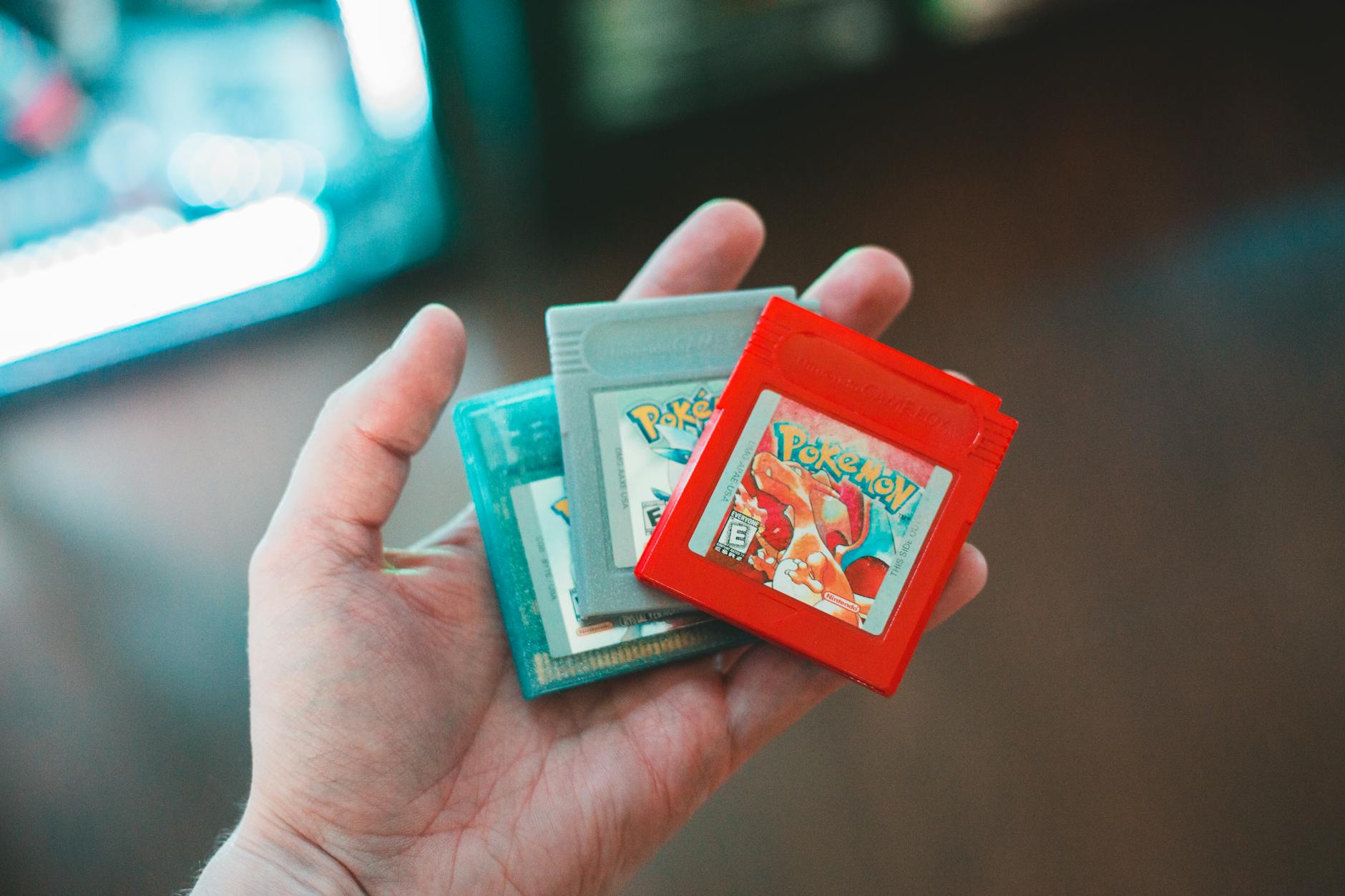
If you’ve recently dusted off your old Game Boy or Game Boy Color to relive those classic Pokémon adventures, you might have encountered a frustrating surprise: your saved games are missing! Not only that, but you may find that new saves aren’t being recorded either. Let’s dive into what’s causing this issue and how you can fix it.
The Nostalgia Trip 🎮
Revisiting childhood favorites can be a thrilling experience, especially when it comes to iconic games like Pokémon. The Pokémon franchise, which began in the late 1990s, has become a cultural phenomenon, influencing generations of gamers. However, many players are discovering that their cherished saves have vanished. This is particularly common with older cartridges, which can face technical issues over time.
The primary culprit behind this problem is often the battery inside the cartridge. Many Game Boy games, especially those from the Pokémon series, rely on a small battery to maintain save data. When this battery dies, your saved progress can be lost, and unfortunately, new saves may not be recorded either.
Why Does This Happen?
- Battery Life: The batteries in these cartridges have a limited lifespan, typically lasting around 10-20 years. Given that many players are now revisiting games that are over two decades old, it’s not surprising that battery failure is a common issue.
- Corrosion: Over time, corrosion can occur, further damaging the internal components. This can lead to a complete loss of save data and make it impossible to record new saves.
- Age of the Hardware: The older the cartridge, the higher the chances of encountering these issues. As technology evolves, the materials used in older cartridges may degrade, leading to further complications.
Solutions to Restore Your Saves 🔧
Fortunately, if you find yourself in this predicament, there are ways to potentially restore your game saves. Here are some options to consider:
-
Replace the Battery: If you’re comfortable with DIY repairs, you can open the cartridge and replace the dead battery. This process requires some basic tools (like a tri-wing screwdriver) and a new battery (typically a CR1616 or CR2025), but it can breathe new life into your game. Many online tutorials provide step-by-step guidance, making it accessible even for beginners.
-
Professional Repair Services: If you’re not handy with electronics, consider reaching out to a professional repair service. Many gaming shops offer cartridge repair and can replace the battery for you. This option may cost a bit more, but it ensures that your cartridge is handled by someone with experience.
-
Emulation: For those who want to preserve their gaming experience without the hassle, emulating the games on modern devices can be a viable option. Emulators allow you to play your favorite games on PCs or smartphones, and they often come with built-in save state features, allowing you to save your progress without worrying about hardware issues. Popular emulators like Visual Boy Advance and mGBA are widely used for this purpose.
-
Backup Your Saves: If you manage to recover your saves, consider backing them up using a flash cartridge or similar device. Flash cartridges, such as the EverDrive series, allow you to play original games while also providing the ability to save and load game states digitally. This way, you can ensure your progress is safe for future playthroughs.
Quick Takeaways 📌
- The loss of Pokémon saves is primarily due to battery failure in the cartridges.
- Replacing the battery can often restore lost saves.
- Emulation offers a modern solution to preserve gaming experiences.
- Professional repair services are available for those uncomfortable with DIY fixes.
- Backing up saves using flash cartridges can prevent future data loss.
FAQ ❔
Why did my Pokémon saves disappear?
The most common reason is that the battery inside the cartridge has died, which prevents the game from saving progress. This is especially true for games that rely on real-time clock features, like Pokémon Gold and Silver.
How can I fix my Game Boy cartridge?
You can either replace the battery yourself or seek help from a professional repair service to restore your cartridge’s functionality. If you choose to do it yourself, make sure to follow a reliable guide to avoid damaging the cartridge.
Is there a way to prevent this from happening again?
Backing up your saves using modern technology, such as flash cartridges, can help prevent future loss of game data. Additionally, regularly checking the battery status of your cartridges can help you catch issues before they lead to data loss.
What are the signs that my cartridge battery is dying?
Common signs include the inability to save new games, corrupted save files, or the game resetting to the default state upon startup. If you notice any of these symptoms, it’s a good idea to address the battery issue as soon as possible.
By understanding the reasons behind lost Pokémon saves and exploring the available solutions, you can continue to enjoy your nostalgic gaming experiences without the fear of losing your progress. So grab your Game Boy, and let the adventures continue!